Configure your server settings visually. This guide takes you through logging in and navigating the web control panel to customize your server.
Log in with Discord
Go to the website home page and click on the Dashboard or Login button. You will be redirected to the secure Discord login portal where you can authorize the dashboard application to view your server list.
Select Your Server
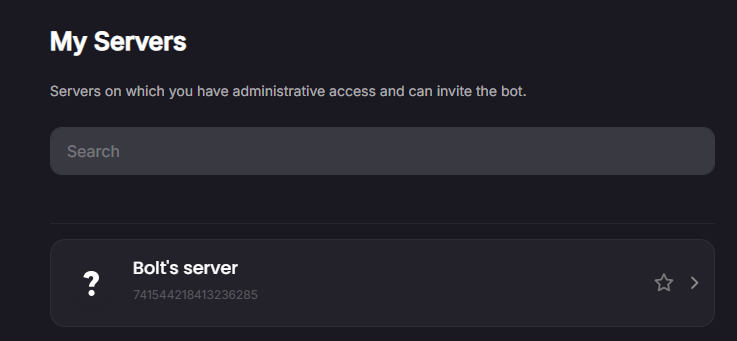
Once logged in, you will see a layout displaying all servers you have access to. Click on the card of the server you wish to configure.
Adjust Modules and Settings
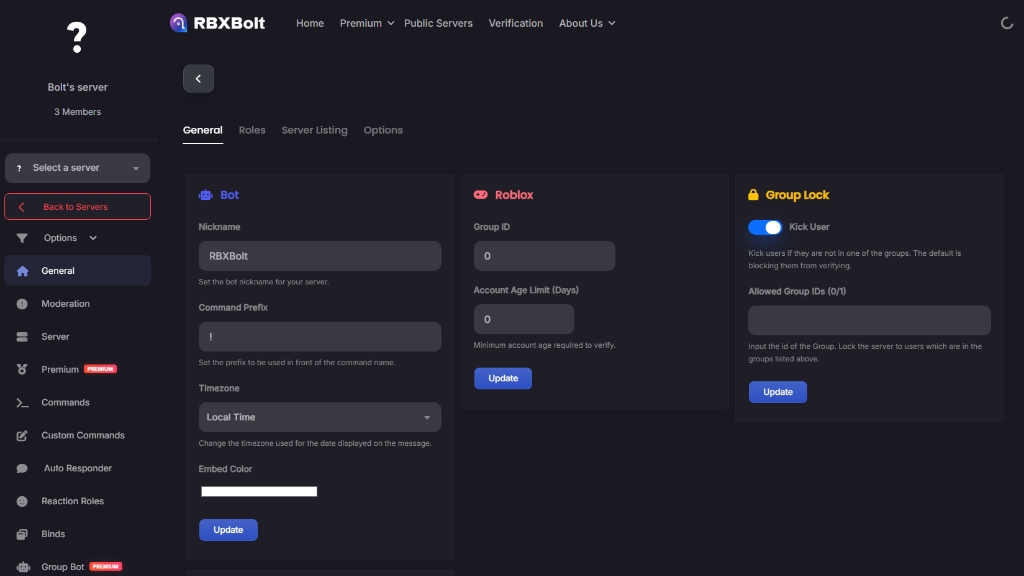
Use the side menu navigation to click through different configuration tabs:
- General Settings: Manage basic configuration details.
- Binds & Custom Commands: Link roles or set up keyword response commands.
- Auto Responders: Control automated replies.
Toggle options as needed and click the Save Changes button at the bottom of the page to apply them immediately.
Ready to customize your server layout?
Log into the dashboard now to configure settings visually and customize your bot.
Go to Dashboard