Automate customer support and general questions. Learn how to configure triggered keyword actions to respond to messages instantly.
Access the Auto-Responders Tab
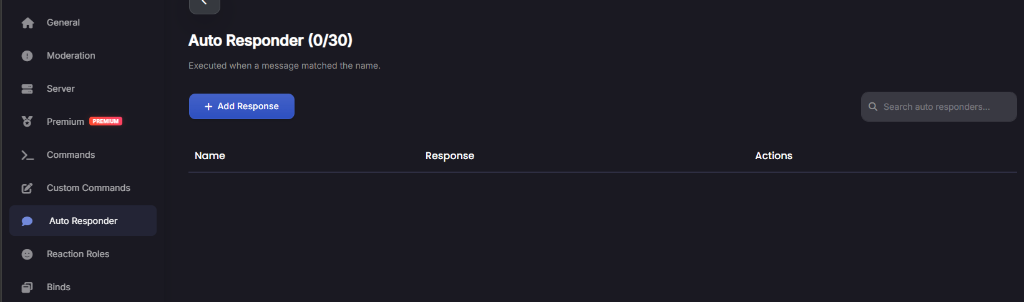
Log into the web dashboard, open your server page, and select the Auto Responders tab in the navigation menu. Here you will see the list of all active triggers in your server.
Create a New Trigger
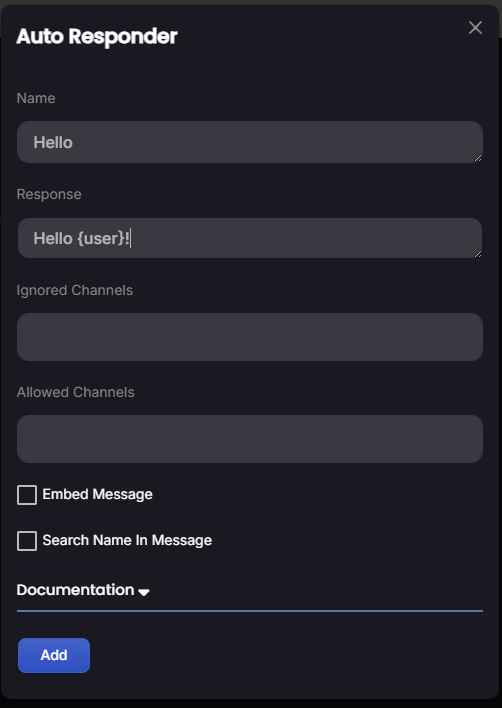
Click the Add Responder button to open the trigger builder. You will need to define:
- Trigger Keyword: The specific word or phrase the bot should look for.
- Match Type: Choose whether to match the exact phrase, any message containing it, or if it must start/end with the keyword.
- Bot Reply: Enter the message text, embed options, or link response the bot should send.
Save and Test
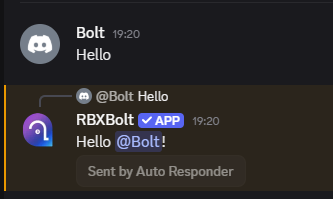
Click the Save button to add the responder. Open your Discord server, type the trigger keyword in a text channel, and verify the bot replies with your custom response.
Automate your server administration tasks now!
Log into the dashboard to create responders and keep your server clean and automated.
Open Web Dashboard